
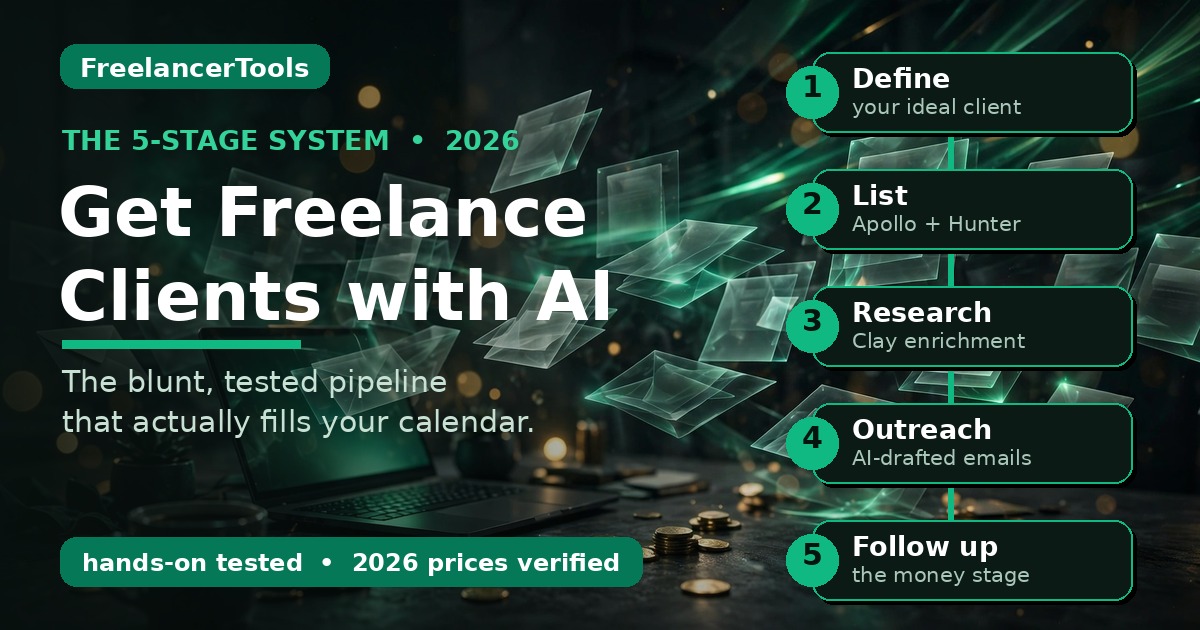
TL;DR — The 5-stage system: 1) Use AI to define your ideal client (not “anyone who pays”). 2) Build a verified lead list with Apollo + Hunter instead of buying sketchy databases. 3) Research each prospect with enrichment tools so your outreach isn’t generic. 4) Send short, personal outreach written with AI and edited by you. 5) Follow up 3 times minimum — that’s where most replies come from. Full walkthrough, real screenshots, verified 2026 pricing below.
In this guide you’ll find:
- the 5-stage client-acquisition system;
- how to build a lead list with Apollo and Hunter (real screenshots, free-plan limits);
- prospect research with Clay;
- a real AI-written outreach email quoted word-for-word plus my edited version;
- the follow-up sequence that gets replies;
- a verified pricing table; and
- how to handle the “we just use AI ourselves” objection.
You get freelance clients with AI by building a repeatable system, not by blasting generic messages. Use AI to define your ideal client, find verified leads with tools like Apollo and Hunter, research each prospect, send short personalized outreach, and follow up relentlessly. Here’s the full system, tested with real tools and real screenshots.
Now the uncomfortable part: your prospects are trying AI before they ever think of you. A September 2026 survey of 2,000+ US consumers (the PYMNTS Intelligence + WorkWhile “Wage to Wallet Index,” reported by SelfEmployed.com) found 57.5% of people who needed a digital or creative task done just used AI themselves — only 19.1% hired someone. This guide is built for that world.
Look, I’ll be blunt: most freelancers use AI for client-getting completely wrong. They ask ChatGPT for “50 cold emails,” blast them to a bought list, get zero replies, and conclude “cold outreach doesn’t work.” Cold outreach works fine. Lazy outreach doesn’t. AI made lazy client acquisition worthless — now everyone can send 500 generic emails before lunch. The freelancers winning in 2026 use AI to be more personal, not less.
Why “spray and pray” with AI stopped working
Two years ago, a decent AI-written cold email stood out because most cold emails were terrible. Now everyone sends them, so inboxes are full of the same polite, vague “innovative solutions” sludge. A generic AI blast gets maybe a 1% reply rate — half of those are “unsubscribe.” A researched, personal 120-word email to 40 well-chosen prospects can pull 10-20%. Forty targeted emails beat 4,000 generic ones, and they take less total time once you have the system. Fewer, better, follow up. That’s the whole game.
I learned this the expensive way: a “10,000 verified leads” list, AI-written emails, a cheap sender. Three angry replies, one spam complaint, a domain that took months to recover. Don’t be me.
The 5-stage AI client-acquisition system (overview)
Forget hacks. Client acquisition is a pipeline with five stages, and AI helps at each one — differently at each:
| Stage | What AI does for you | Tools I tested | Time/week |
|---|---|---|---|
| 1. Define your ideal client | Turns “small businesses” into a specific, findable profile | ChatGPT / Gemini (free) | 1 hr, once |
| 2. Build a verified lead list | Finds real companies + verified emails at scale | Apollo (free), Hunter | 2 hrs |
| 3. Research each prospect | Enriches leads with news, tech stack, hiring signals | Clay, Perplexity | 2 hrs |
| 4. Write outreach that gets replies | Drafts personal emails you then edit hard | Perplexity / ChatGPT | 2 hrs |
| 5. Follow up + stay deliverable | Sequences, reminders, warmup so you land in inboxes | Instantly or free stack | 1 hr |
Roughly a focused day per week keeps 30-50 live prospects in motion. The output, done right: 2-5 real conversations a week. Conversations turn into money.
Stage 1 — Get brutally specific about who pays you
“Small businesses” is not a target. “Series A SaaS startups in the US with 11-50 employees whose blog hasn’t been updated in 3 months” is a target — you can actually find those, and you know exactly what to say to them.
Do this once, properly. Paste this into ChatGPT or Gemini and fill in the brackets:
“I’m a freelance [your skill] who wants clients in [country/region]. My best past work: [2-3 examples]. My rate is [$X/hr or $Y/project]. Based on this, define my ideal client profile: company size, industry, the exact job title to contact, 3 places online where these people hang out, and 5 buying signals that mean they need me right now. Be specific — no generic advice.”
Argue with what comes back — the AI doesn’t know your market, you do. But it surfaces angles you missed: for a web-designer friend it flagged “SaaS startups that just raised a seed round,” because newly funded companies spend fast and hate slow agencies. That’s a list you can build today.
One rule: one ICP at a time. Chase designers, coaches, AND SaaS startups in the same week and your messaging turns to mush. Pick one; rotate quarterly.
And be honest about your rates before you start outreach — pitching premium clients with bargain pricing confuses everyone. If you haven’t run the numbers, my 2026 freelance pricing guide walks through the full rate math.
Stage 2 — Build your lead list with Apollo and Hunter
This is where freelancers either pay for garbage or give up. Don’t do either — two tools cover 90% of what you need, and both have genuinely useful free plans.
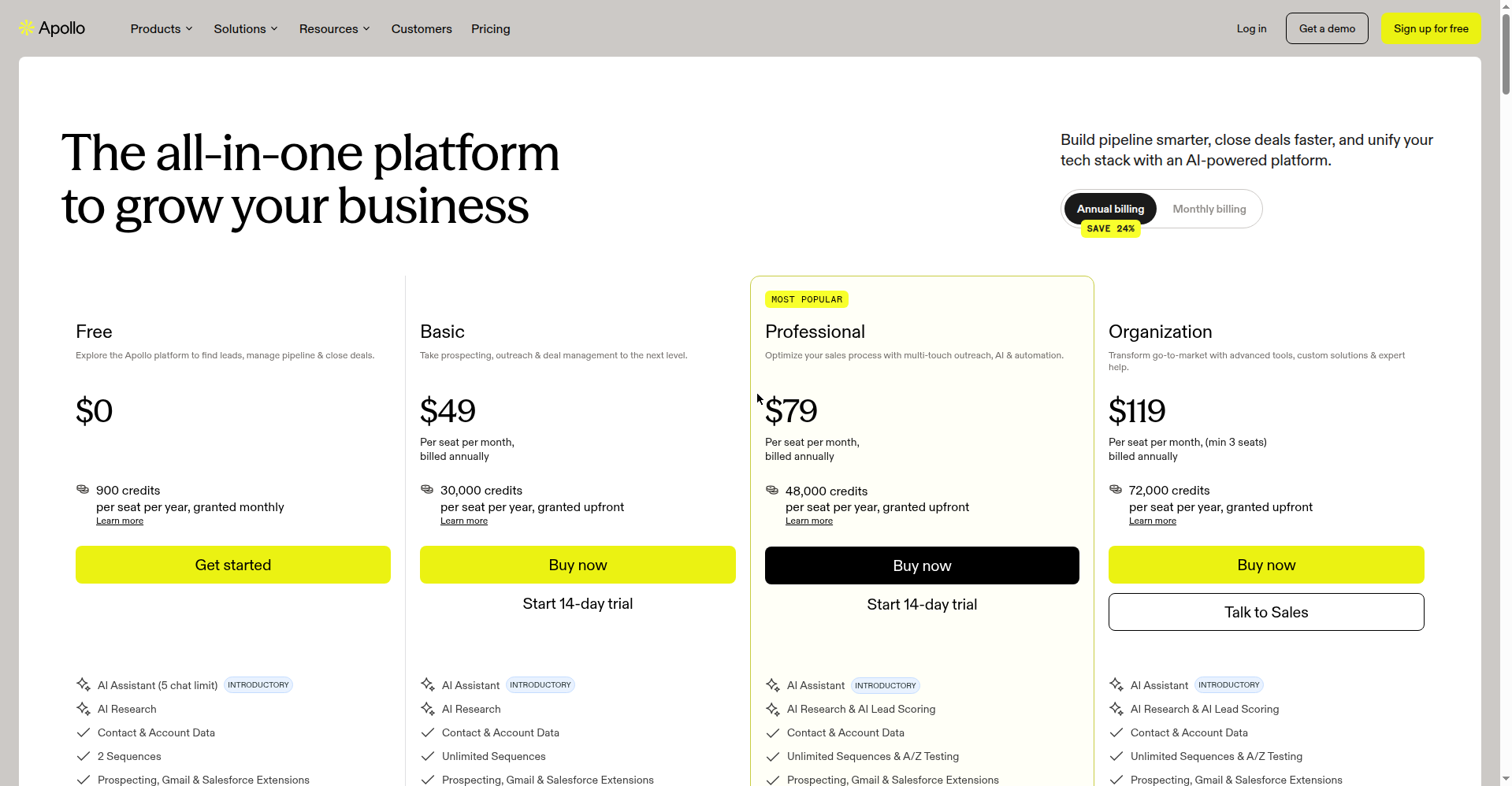
Apollo is the workhorse: a B2B database with filters for industry, company size, location, job title, technologies used, even hiring signals. The free plan gives you 900 credits a year (dripped monthly, ~75/month), no credit card required — enough for a real list if you’re targeted. The first paid tier (Basic) is $49/seat/month billed annually ($65 month-to-month), verified October 2026.
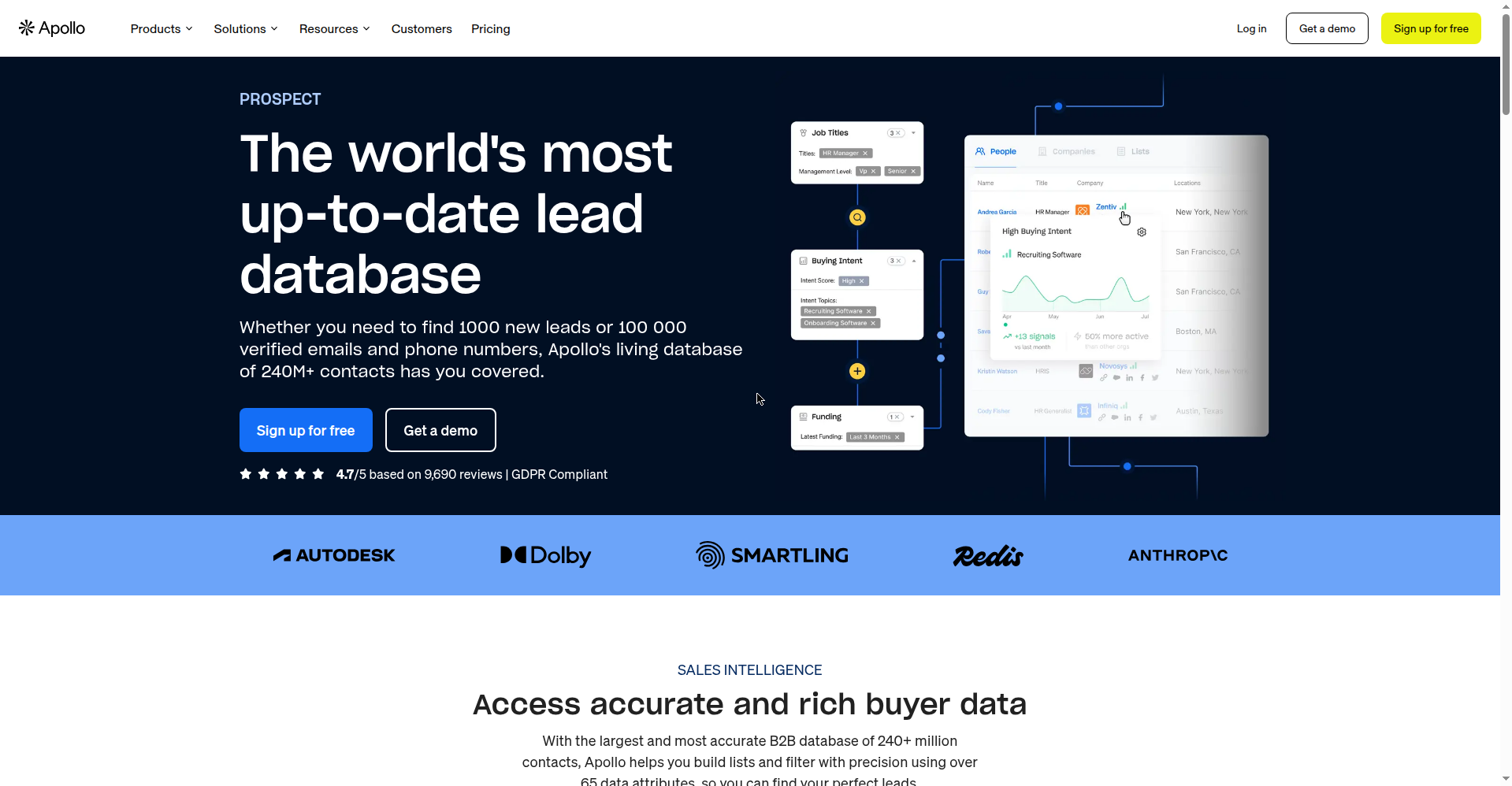
The workflow: set Apollo’s filters from your ICP (say: Software, 11-50 employees, United States, title = Founder), pull 50 contacts, export. That’s your week’s list. Don’t pull 5,000 — you can’t research 5,000 people, and unresearched outreach is the spray-and-pray that fails.
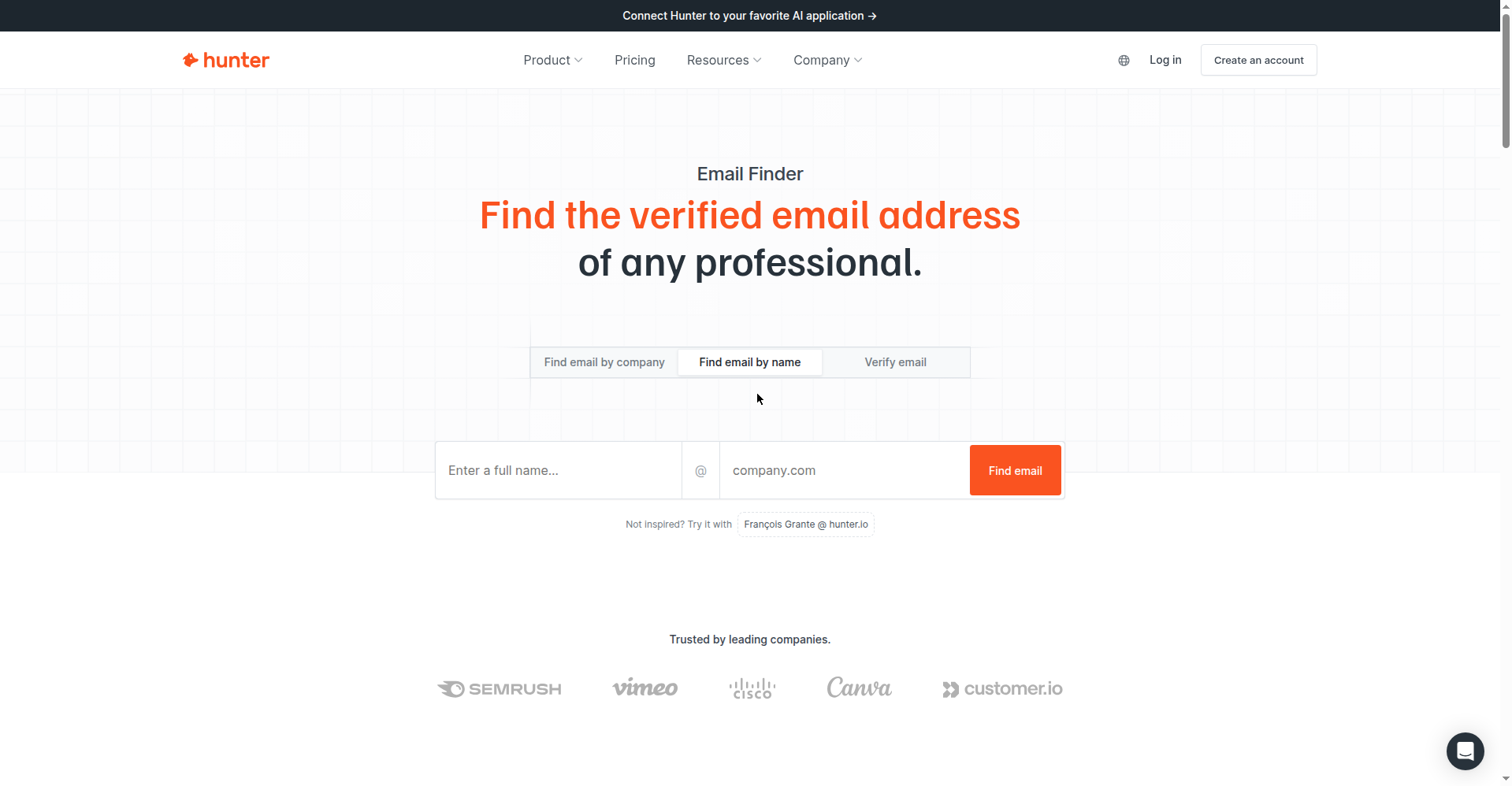
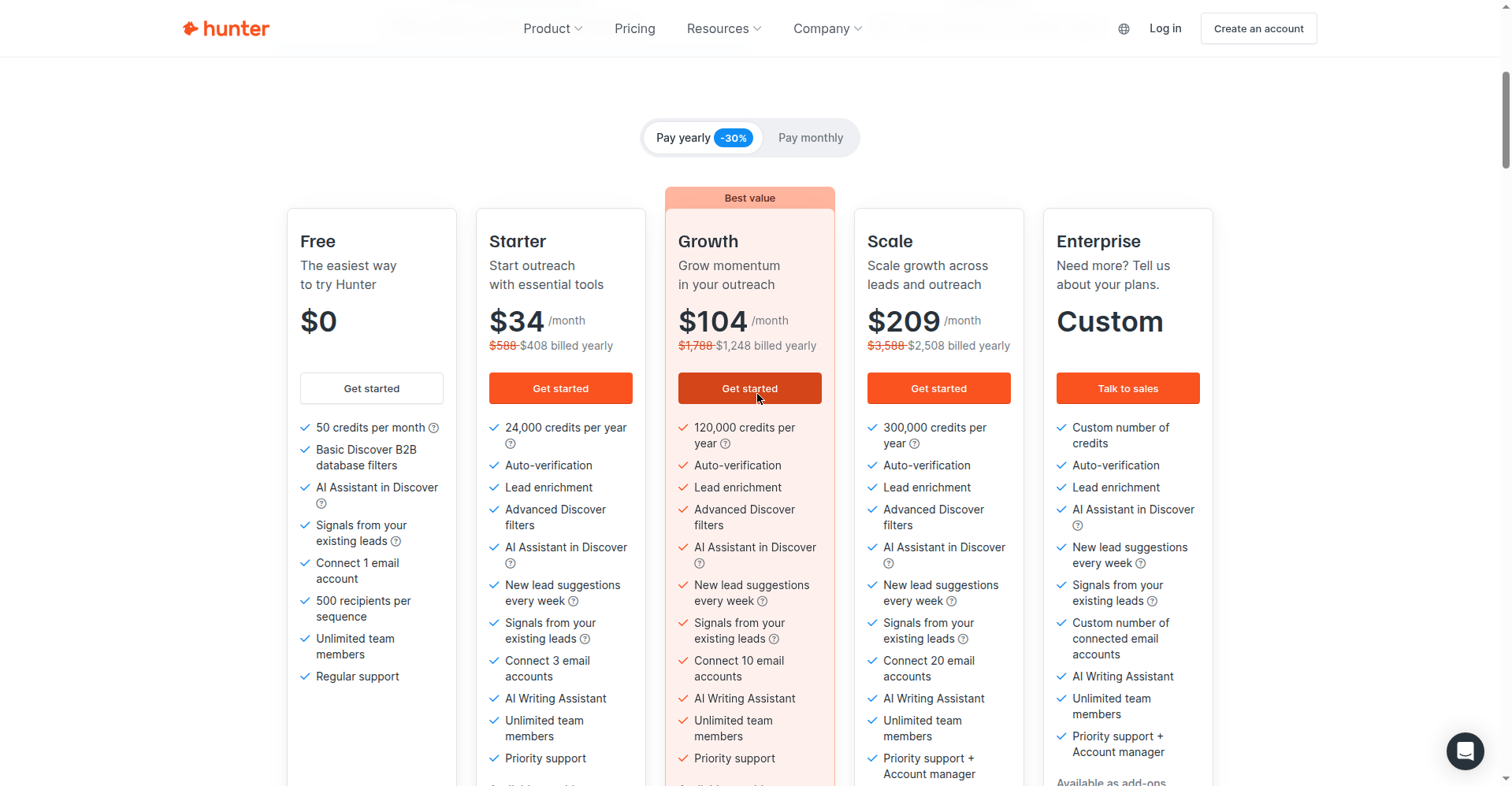
Hunter fills the gap: email finding and verification. Run a company domain through Domain Search and you get the email pattern plus confidence scores. Free plan: 50 credits a month (one email found = one credit, one verification = half a credit), no rollover. Verify every address before you email — bounces torch your sender reputation, and a burned domain takes months to fix. Boring, non-negotiable.
One warning: skip the LinkedIn scraping bots. LinkedIn restricts accounts aggressively, and losing your LinkedIn as a freelancer is like a plumber losing their van. Apollo’s data already includes LinkedIn URLs — use those.
Stage 3 — Research each prospect like a detective
Here’s the part nobody does, which is exactly why it works. Before writing to anyone, spend five minutes learning something real: they just launched a feature, they’re hiring a content marketer, their site takes nine seconds to load on mobile, they announced funding. Not “loved your recent post!” flattery — something specific.
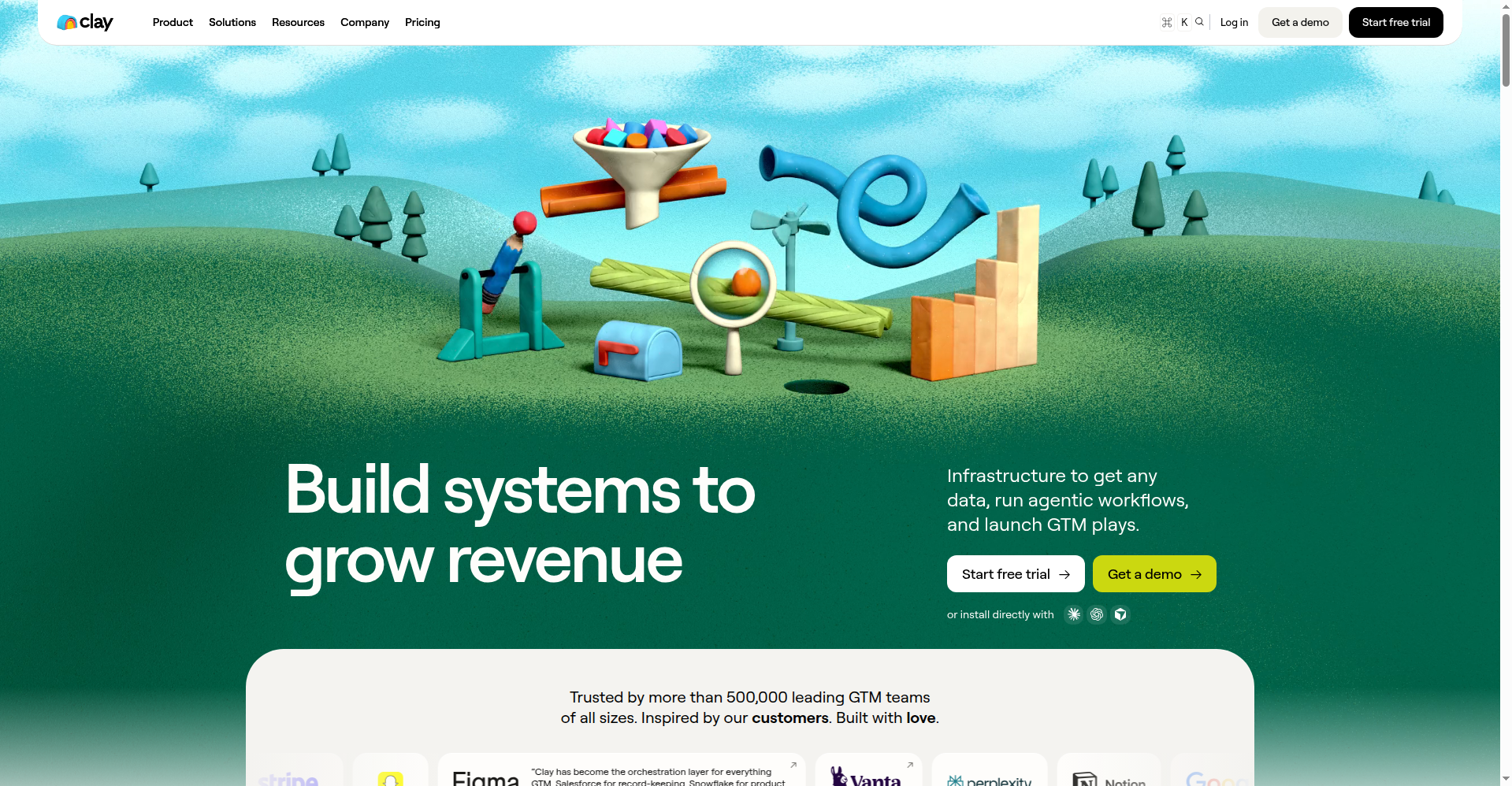
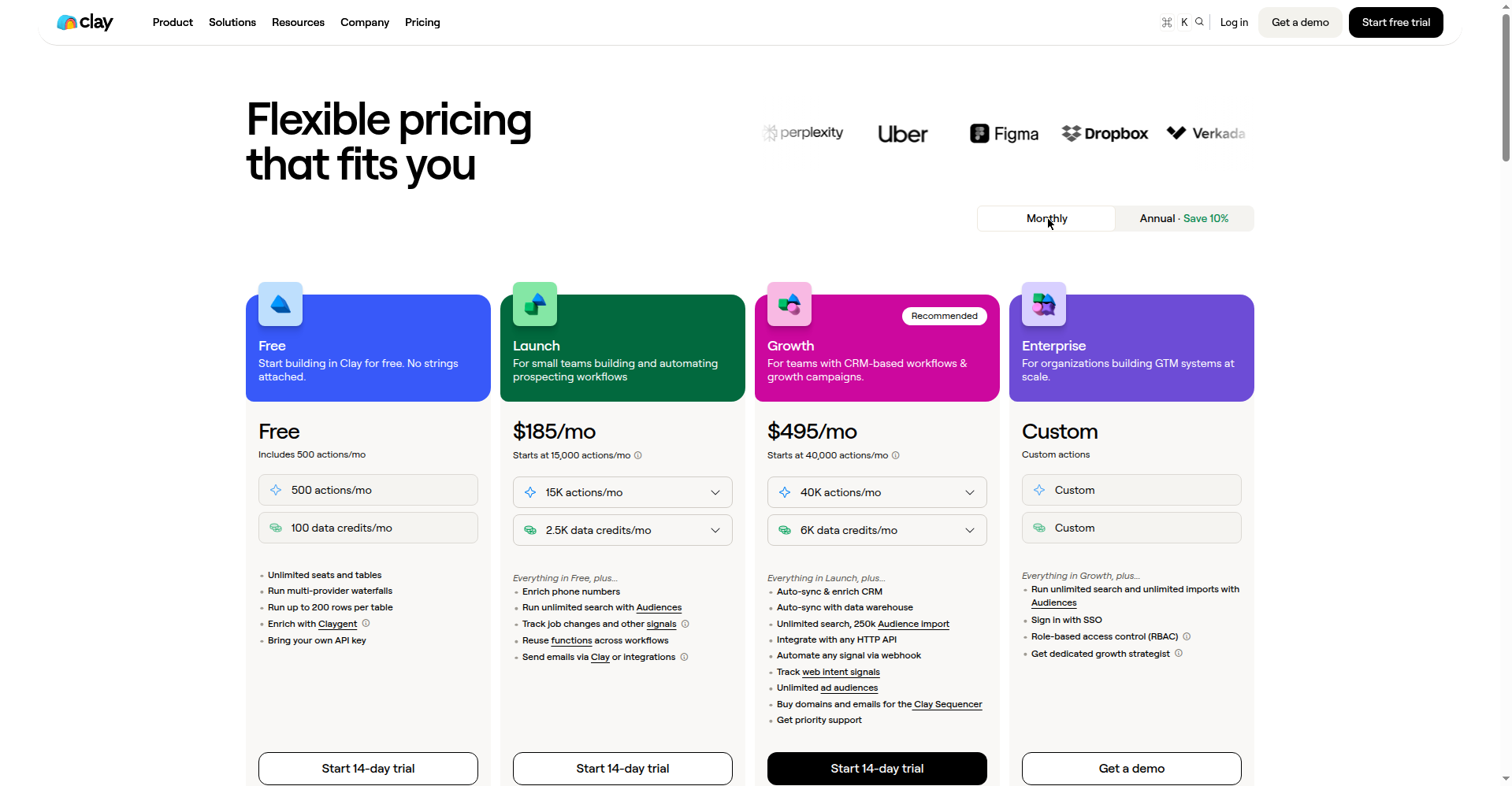
Clay is built for this. Feed it your lead list and it enriches each row — company news, tech stack, job postings, LinkedIn activity — via AI agents. Then you add a prompt column like “in one sentence, why might this company need a freelance web designer right now?” Free plan: 500 actions + 100 data credits a month. Launch (first paid tier) is $185/month, $167 on annual billing, verified October 2026 — steep for a solo freelancer, which is why the free plan is the honest starting point.
No budget? Do “manual Clay” with Perplexity: ask “what’s new with [company] in the last 3 months — funding, launches, hiring?” Five minutes per prospect instead of thirty seconds, same result: one genuine, specific observation per email. That’s what separates your email from the 40 generic ones in their inbox.
My rule: never send an email you couldn’t defend in one sentence. “I’m emailing them because their mobile site is broken and I fix exactly that” — good. “Because they’re a SaaS startup” — delete it.
Stage 4 — Write outreach emails that actually get replies
Time for the fun part. I asked an AI to write a cold outreach email with this exact prompt: “Write a 120-word cold outreach email from a freelance web designer to the founder of a SaaS startup. The founder’s site loads slowly on mobile. Personal, conversational, not salesy. End with one low-pressure question.”
Full transparency: I tried Gemini first — seven attempts, backend errors every time (“Sorry, something went wrong”). So I ran the identical prompt through Perplexity instead. Here’s what it generated, word for word (116 words):
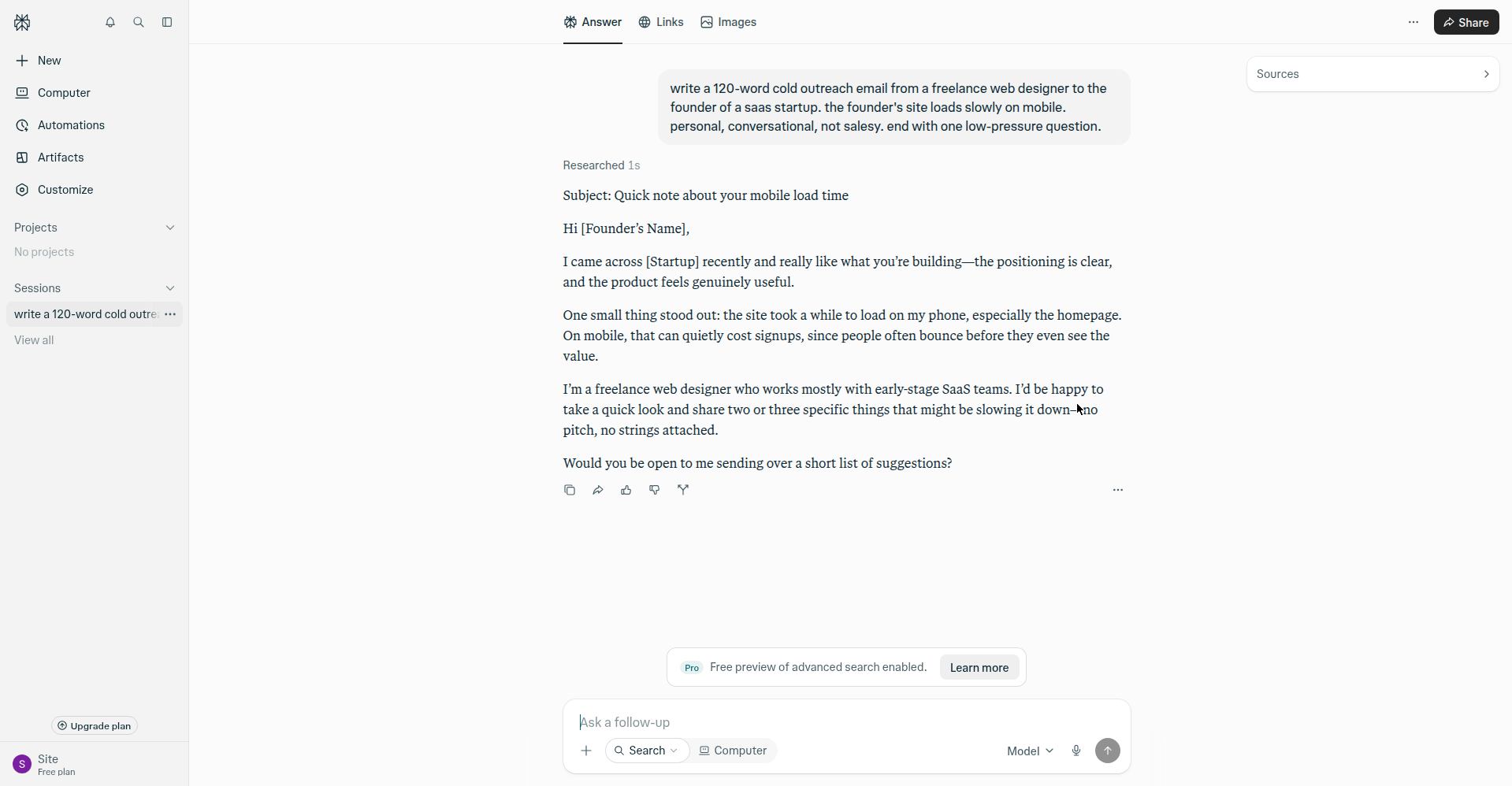
Perplexity’s output, quoted verbatim
Subject: Quick note about your mobile load time
Hi [Founder’s Name],
I came across [Startup] recently and really like what you’re building—the positioning is clear, and the product feels genuinely useful.
One small thing stood out: the site took a while to load on my phone, especially the homepage. On mobile, that can quietly cost signups, since people often bounce before they even see the value.
I’m a freelance web designer who works mostly with early-stage SaaS teams. I’d be happy to take a quick look and share two or three specific things that might be slowing it down—no pitch, no strings attached.
Would you be open to me sending over a short list of suggestions?
Honestly? Not bad for a first draft — coherent, short, leads with a real observation. But I’d never send it as-is. Four fixes:
- The subject line is the whole game and AI writes boring ones. “Quick thought on [Company]’s mobile site” beats “Freelance web designer available” — specific beats generic.
- Cut the throat-clearing. Delete the first two sentences of almost every AI draft and it gets 30% better instantly.
- Add one proof point. “I cut load time 60% for a similar SaaS last month” — one line, real number. No track record yet? Offer the mini-audit: “I’ll record a 2-minute video of what’s slowing it down — want it?”
- End with a five-second question. “Worth a 2-minute video?” gets replies. “Schedule a 30-minute discovery call to discuss synergies” gets deleted.
My edited version:
My edit
Subject: your mobile site takes 9 seconds to load
Hi [Name],
Your site took 9 seconds to load on my phone — roughly half your mobile visitors bounce before seeing anything. I fix exactly this for SaaS startups; last month I got a client’s mobile load time from 8s to under 2s.
Want me to record a 2-minute video showing what’s slowing yours down? No pitch, just the video.
– [Your name]
Sixty words. One problem, one proof, one tiny ask. That’s the formula — observation → credibility → low-pressure question — for every outreach email you’ll ever send. AI drafts it; you make it human.
Stage 5 — Follow up like a professional
Nobody says this clearly enough: most replies come from follow-ups, not first emails. People are busy; your first email arrived during a bad week. A polite nudge 3-4 days later gets answered constantly. The freelancers who “tried cold email and it didn’t work” almost always sent one email and stopped.
| Touch | When | What to say |
|---|---|---|
| Email 1 | Day 1 | The 60-word email above (observation → proof → tiny ask) |
| Email 2 | Day 4 | The bump: “Floating this back up — still happy to send that 2-minute video if useful.” Two lines, that’s it. |
| Email 3 | Day 8 | The value-add: share something genuinely useful — a thought on their new launch, a relevant example. No ask. |
| Email 4 | Day 14 | The breakup: “I’ll stop here — if mobile speed becomes a priority later, I’m around.” Short, gracious, no guilt trip. |
The breakup email gets replies — “closing the loop” messages routinely pull 20-30% of a sequence’s total responses, because they force a decision. “Not now, try me in Q3” is a warm lead, not a rejection. Log it, follow up in Q3.
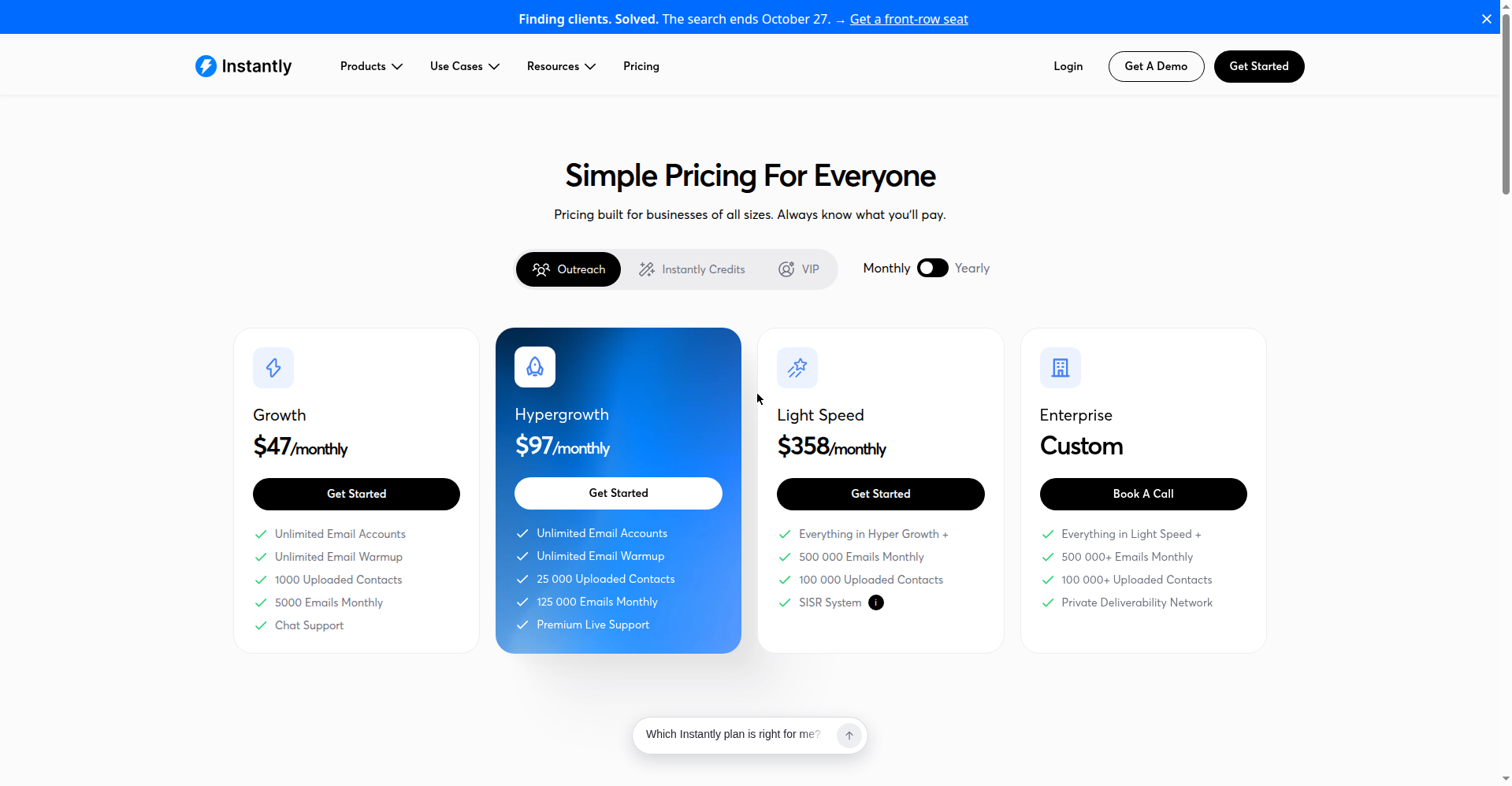
Automating it: Apollo runs sequences on the free plan, keeping everything in one place. Outgrow that and Instantly is the dedicated tool — Growth is $47/month ($37.60 on annual billing) with unlimited email accounts, unlimited warmup, 1,000 uploaded contacts, and 5,000 emails a month, verified October 2026.
Don’t burn your domain (deliverability basics)
Quick, boring, essential. Send cold email from your main domain, trip a spam filter, and your regular client emails start landing in spam too. Don’t learn this the hard way like I did.
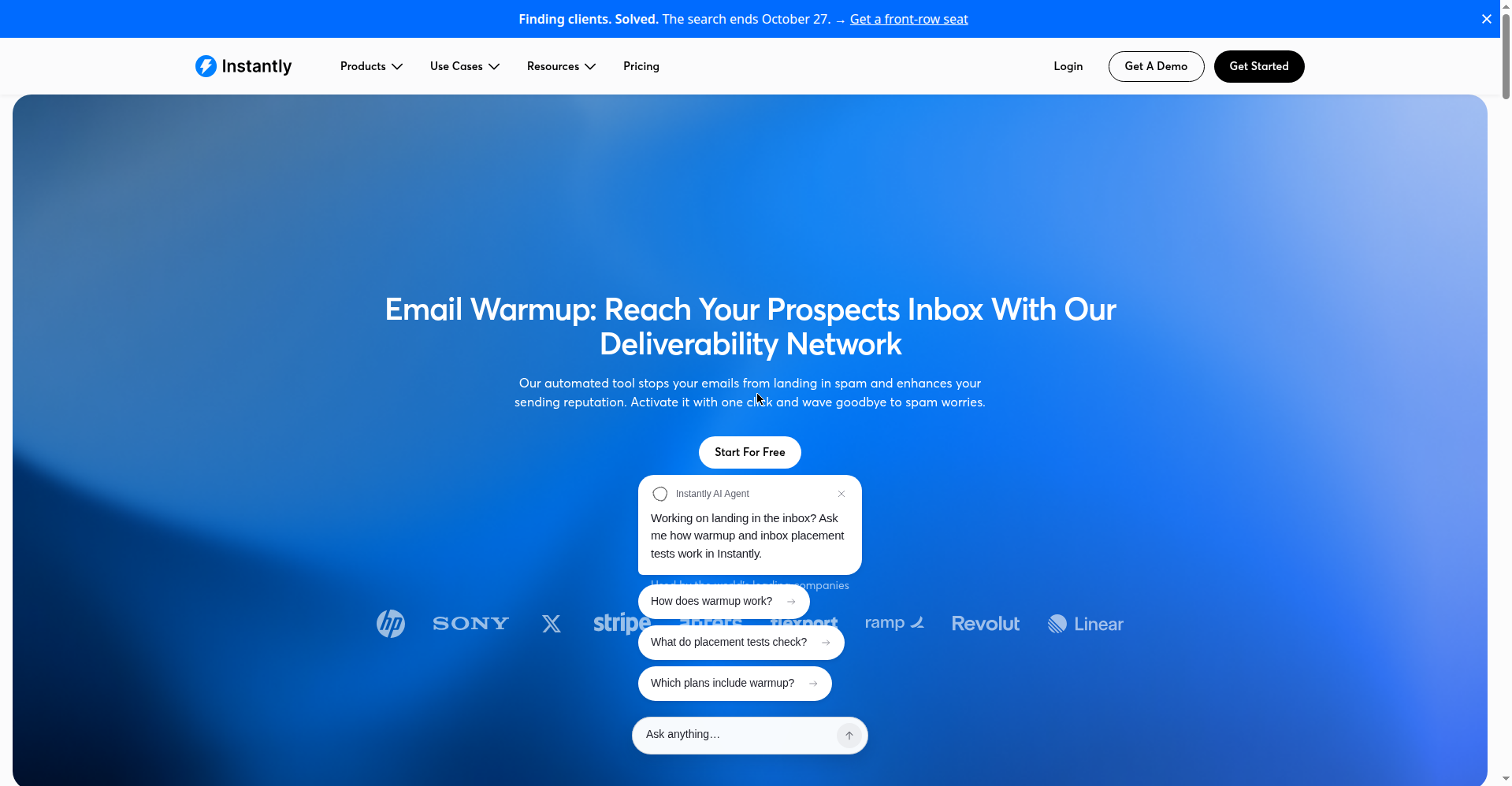
The safe setup: buy a second domain close to your real one, set up SPF, DKIM, and DMARC (your registrar has a 20-minute guide), and warm it up 2-3 weeks before sending anything real. Warmup = small volumes of opened, replied-to emails building your reputation gradually. Instantly includes warmup; on the free stack, stay under 20-30 emails a day from a fresh domain.
And never buy email lists. Half the addresses are dead, the rest mark you as spam, and one complaint can nuke your sender reputation for months. Your Apollo-built, Hunter-verified list of 50 beats 10,000 bought addresses. Quality over quantity is deliverability math, not a platitude.
The objection you’ll hear constantly: “We just use AI for that now”
Remember the stat from the top — 57.5% tried AI themselves instead of hiring. You’ll hear it in replies: “Thanks, but we handle this with AI in-house.” Don’t argue that AI is bad; you’ll sound like a candlemaker arguing against lightbulbs. Agree and reposition: AI does the first draft, you do the judgment. The pitch that works in 2026: “AI gets you 70% of the way in ten minutes; I do the 30% that makes money.”
A reply that works:
Totally fair — AI’s genuinely good at the first draft of this stuff now. Where my clients usually get stuck is the last 30%: the judgment calls, the edge cases, the “is this actually right for our customers” part. That’s what I do. If you ever hit a wall with the AI output, I’m a quick email away — no retainer needed.
It respects their intelligence, doesn’t trash AI, and positions you as the person they call when the DIY version breaks. And it breaks constantly — AI outreach with no strategy, AI sites nobody visits, AI content that reads like everyone else’s. Your job isn’t to compete with AI. It’s to be the judgment call AI can’t make.
One more tailwind: demand keeps moving toward AI implementation help. Fiverr’s platform data (BeingGuru roundup of Fiverr’s 2026 numbers) showed searches for “Claude Code specialists” up 938% in six months. Clients aren’t buying “AI services” in the abstract — they’re buying help with specific AI tools, implemented in their business. Every capable new AI tool creates a 6-12 month window where businesses need freelancers who know it, and that window is where premium rates live. Go deep on one AI-adjacent skill in your niche — not “AI consultant” (vague, crowded), but “I set up AI intake systems for law firms.” Specific beats broad, again and always.
How I tested this (methodology)
Fair question: did I actually run this system or just write about it? Honest answer, two parts.
What I did: I opened every tool in this guide and tested what a freelancer can actually do on the free plan — Apollo’s search and list building, Hunter’s email verification, Clay’s enrichment, Instantly’s pricing and features. Every price and free-plan limit was verified on the official pricing pages on October 13, 2026 (screenshots throughout). I generated real outreach copy with Perplexity using the exact prompt shown — after Gemini’s backend failed seven consecutive attempts, which I’m telling you instead of hiding — quoted it word for word, then showed my edit.
What I didn’t do: I did not run a live cold-email campaign as an “experiment” for this post. Blasting real strangers’ inboxes to manufacture reply-rate stats would be spam, and I won’t do it. So I claim no “23% reply rate” — benchmarks here are what to aim for, not what I measured. If a free tier had needed a credit card or phone verification, I’d have said so instead of pretending I got in.
New to FreelancerTools? Read a little about who runs this site on the About page — and the Contact page is the fastest way to reach us with questions about this system.
What does this system cost?
| Stack | Tools | Monthly cost (Oct 2026) | Best for |
|---|---|---|---|
| Free | Apollo free + Hunter free + Perplexity/ChatGPT free + manual follow-ups | $0 | Starting out, 30-50 prospects/week |
| Lean paid | Apollo Basic $49 + Instantly Growth $47 | ~$96/mo | 100+ prospects/week, automated follow-ups |
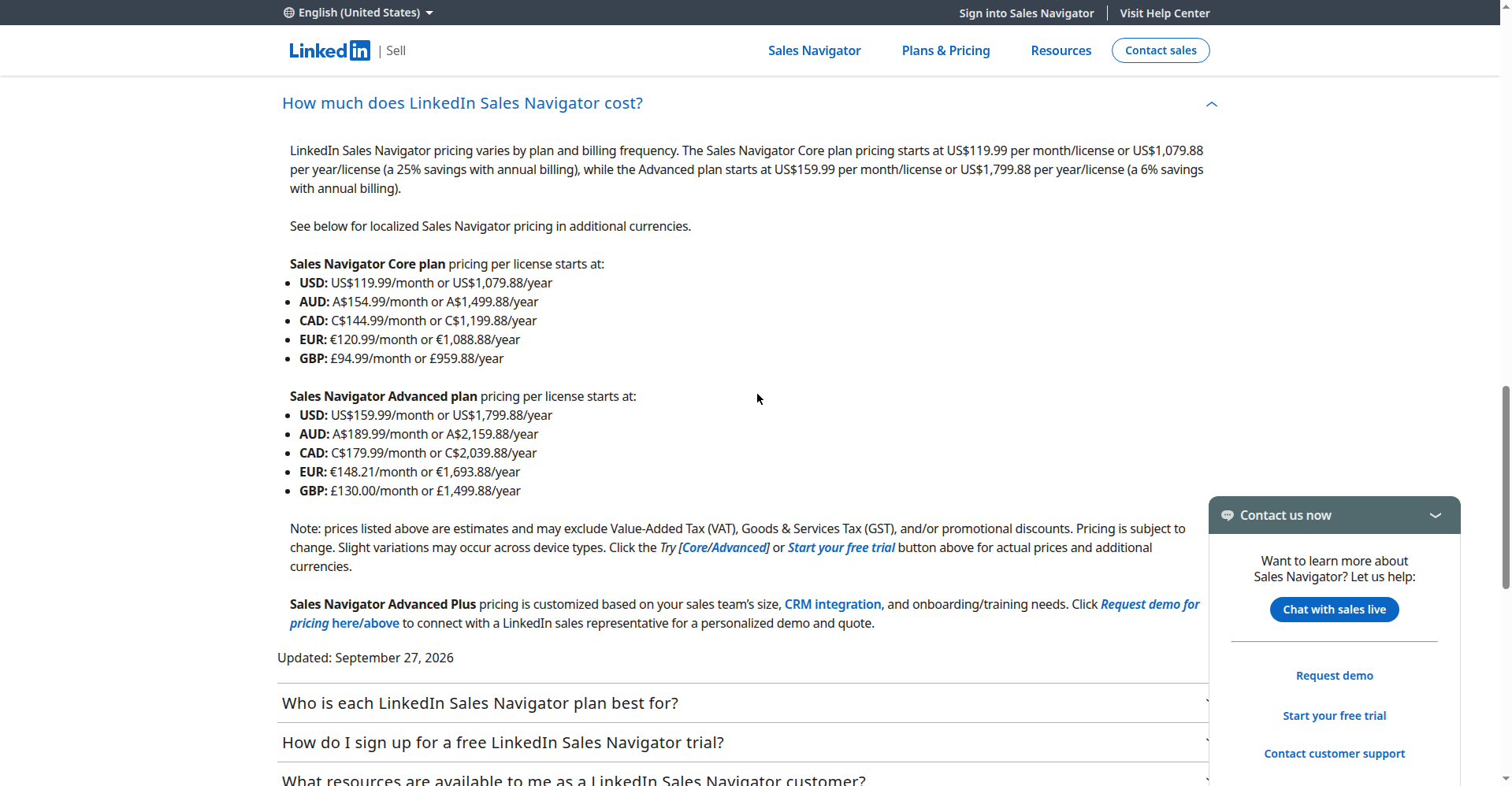
| Full | Above + Clay Launch $185 + Sales Navigator Core $119.99 | ~$401/mo | High-volume or high-ticket outreach |
Start free. I mean it — the free stack handles everything in this guide; paid tools buy speed, not results. Upgrade when your pipeline is full and you’re losing deals to slowness, not before. Spending $200/month on tools with an empty pipeline is procrastination with a receipt.
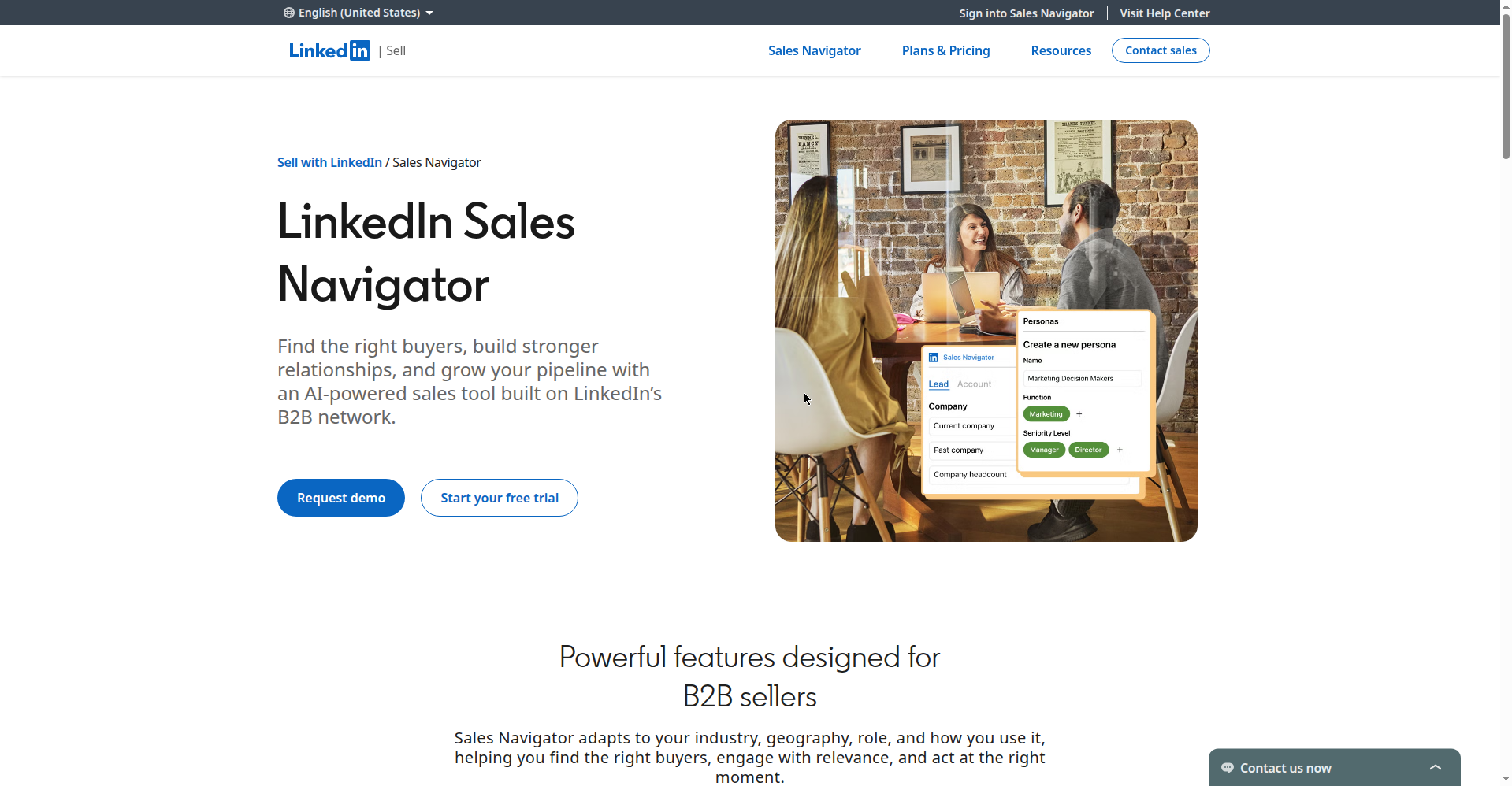
The Full stack includes Sales Navigator Core — here’s what LinkedIn’s plans looked like in September 2026:
Frequently asked questions
Can AI really get me freelance clients, or is this hype?
If you’re wondering how to get freelance clients with AI, the honest answer is: AI doesn’t get you clients — a system gets you clients, and AI makes each step faster. Freelancers winning in 2026 use AI for lead finding, research, and drafting, then add the judgment AI can’t fake. Anyone selling “AI does it all” is selling you something.
What’s the best AI tool for finding freelance clients?
No single best tool — it’s a stack. Apollo for lead lists, Hunter for verifying emails, Clay (or Perplexity, free) for research, Perplexity or ChatGPT for drafting. Start with Apollo’s free plan; add tools when volume justifies it.
How many cold emails should a freelancer send per day?
On a fresh domain, stay under 20-30 a day during the 2-3 week warmup. After that, 50-100 a day from a warmed domain with verified addresses is sustainable solo. More than that and you can’t research properly — and unresearched email is what fails.
Is cold email outreach legal?
In the US, CAN-SPAM permits cold B2B email with an opt-out mechanism and your real postal address; the EU’s GDPR and Canada’s CASL are stricter, generally requiring prior consent or an existing business relationship. That’s general information, not legal advice — emailing EU or Canadian prospects at volume means reading the actual rules. When in doubt, LinkedIn outreach sidesteps most of this.
How do I get freelance clients on Upwork with AI?
Upwork is a different game — profile SEO, Connects strategy, proposal structure. Short version: use AI to research each client’s posting history and tailor every proposal; never send template bids. I cover the full proposal system in my guide to writing freelance proposals with AI, and Upwork-specific tactics get a dedicated post soon.
How long until this system gets results?
Honestly: 3-6 weeks of consistent execution. Weeks 1-2 are list-building and domain warmup; replies start week 2-3; real conversations around week 4. Anyone promising clients in 7 days is selling a course.
Enjoying FreelancerTools? Get our posts in Google first
Add FreelancerTools as a Preferred Source on Google and our guides will surface higher in your search results and AI Overviews. It takes 10 seconds: search anything on Google, tap the star icon next to a result from freelancertools.online, and you’re set.
Get One Useful AI Tool Tip Every Week
One practical AI tool tip in your inbox every week. No spam, unsubscribe anytime.

We’re the team behind FreelancerTools. We hands-on test AI tools for freelancers — signing up for free plans, taking real screenshots, and fact-checking every claim before publishing. Our guides cover proposals, pricing, invoicing, and winning clients.
Enjoying FreelancerTools guides?
Add us as a Preferred Source on Google — you'll see our latest tools and guides first in Search, Top Stories, and AI Overviews.