
Last updated: October 17, 2026.
Yesterday, the UK government started consulting on a written payment-statement right for the self-employed — part of a late-payment crackdown that would cap payment terms at 60 days and force late payers to cough up 8% above the Bank of England base rate. Late payments cost the UK economy £11 billion a year and “close 38 businesses every day,” per the government’s own figures. So finding the best AI invoice generator for freelancers isn’t a productivity hobby. It’s survival gear.
TL;DR — the direct answer
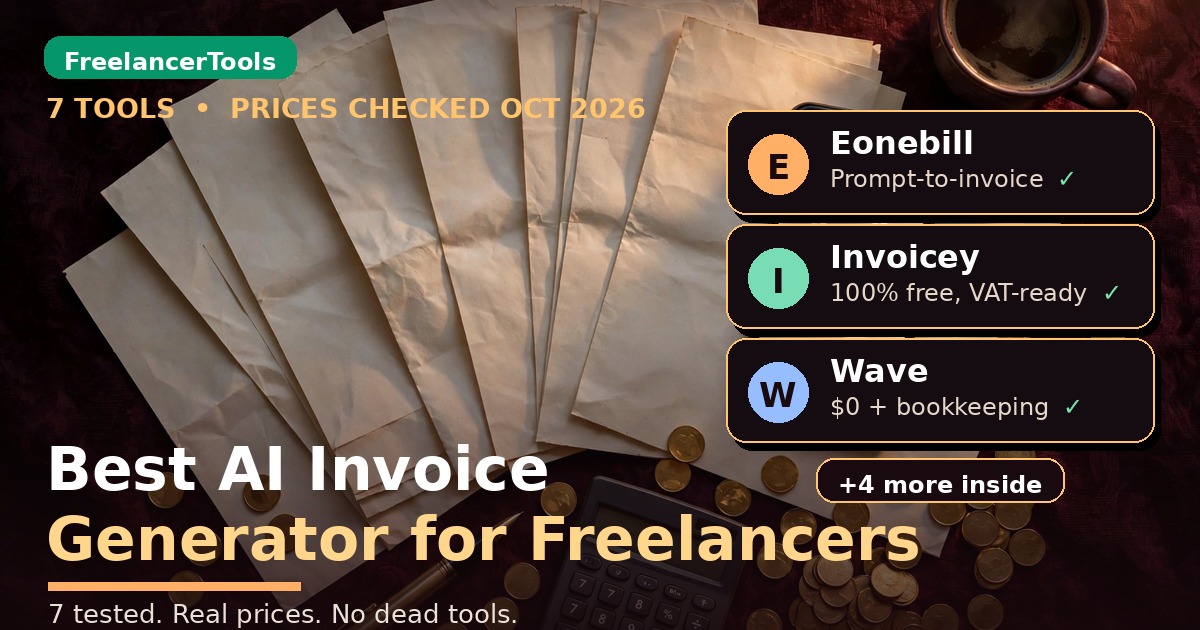
The best AI invoice generator for freelancers is Eonebill for prompt-to-invoice billing (free for 3 clients), Invoicey for EU freelancers (fully free and VAT-ready), and Wave Starter for US freelancers who also need free bookkeeping. Skip any listicle that recommends Midday — it's shutting down, and recommending a dead tool tells you everything about how "tested" that list was.
– All 7 prices below verified on official pages on October 17, 2026. FreshBooks Lite is $23/mo — not the $10.50 you'll still see quoted.
– Three of the seven cost genuinely nothing at the free tier. One has no paid plan at all.
– 3 copy-paste AI prompts near the end do half your invoicing work for you.
What’s actually in this guide
In this guide you’ll find: 7 tools reviewed one by one — Eonebill, Invoicey, Zoho Invoice, FreshBooks, Wave, Bonsai, Stripe Invoicing — with October-2026 prices checked on official pages, a master pricing table, honest free-tier reality checks, 3 copy-paste AI prompts, a bonus 8th tool I couldn’t fully verify, and a verdict sorted by billing model: hourly, project, retainer, EU-VAT.

How I verified everything (read this before you trust a word below)
Methodology
– Every price and feature below was checked on the tool's official site on October 17, 2026. Where I couldn't verify something, I say so.
– I genuinely ran Eonebill's no-signup demo earlier this month: typed a plain-English brief, got back a correct $2,440 invoice with line items and tax math right. A real run, not marketing copy.
– Midday is deliberately excluded — Ramp's own blog confirms it's winding down (details below).
– No paid trials or new signups for this post, and no screenshots captured this run — descriptions come from official pages and the demo I actually ran.
– Who's behind this: we're working freelancers, not a content farm.
Which AI invoice generator is actually free?
Short answer: more of them than the pricing pages want you to believe. Long answer: “free” means different things — free forever, free with branding, or free until you need reminders. Here’s the whole field in one table:
| Tool | Free tier (the real deal) | Cheapest paid plan | AI angle |
|---|---|---|---|
| Eonebill | Free: 3 clients, 30 docs/mo, no card | Paid price not published on official site | Prompt → invoice, auto brand colors, AI reminders |
| Invoicey | Fully free, unlimited, no paid plans exist | $0 | Sylva AI assistant drafts invoices & quotes |
| Zoho Invoice | Free: 500 invoices/yr, 2 users, all features | $0 | Automated reminders, recurring invoices |
| FreshBooks | No free plan (30-day trial only) | Lite $23/mo | Auto late fees, expense categorization |
| Wave | Starter $0: unlimited invoices + bookkeeping | Pro $19/mo | OCR receipts, auto transaction sorting |
| Bonsai | No free plan (7-day trial only) | Invoicing from $25/user/mo | Hours/expenses → invoice, tax deduction finder |
| Stripe Invoicing | No subscription — pay per use | 0.4% per paid invoice | Smart retries, automatic reminders |
Two things jump out: only Eonebill and Invoicey generate invoices from prompts — the rest bolt automation onto traditional invoicing.
The catches on “free”: Zoho brands your documents, Wave’s auto-reminders need the $19 Pro plan, Zoho deletes data after 180 idle days, and card fees (2.9%+) are never in any free plan.

Do I need to pay for invoicing software as a freelancer?
No — not for invoicing itself. Everything here except FreshBooks and Bonsai invoices for $0; Stripe charges only when you get paid. Pay for bundled bookkeeping (FreshBooks, Wave Pro), contracts in the same workflow (Bonsai), or high-volume automation. My rule: don’t pay a monthly invoicing fee until your revenue makes it a rounding error.
The 7 best AI invoice generators for freelancers, reviewed
1. Eonebill — the prompt-to-invoice one
The only genuinely AI-native tool here. Type a plain-English brief — “invoice Client X for the logo project, 12 hours at $85, plus the $200 rush fee, Net 15” — and Eonebill builds the invoice: client, line items, taxes, terms. Handles 15 document types, pulls brand colors and logo from your website URL, fires automatic reminders at 7, 14 and 30 days past due. Batch invoicing from CSV or plain text.
Free: 3 clients, 30 documents/month, no card. Eonebill’s official site publishes no paid pricing page (third parties cite ~$9.99/mo, unverified).
Honest limitation: no mobile app yet, online payments run through your own Stripe account, and it’s a 2026 startup — unproven long-term.
Best for: project-based freelancers who’d rather type one sentence than build an invoice line by line.
2. Invoicey — completely free, forever
No paid plans — unlimited invoices and estimates, no credit card. The only tool here where “free” needs no asterisk. Its AI assistant Sylva drafts invoices and quotes. Built for Europe: EU VAT rates, reverse-charge wording, 8 languages.
Honest limitation: payments go through your own Stripe or PayPal — no built-in processing — and it’s invoicing only, not accounting.
Best for: EU freelancers who need VAT-compliant invoices and refuse to pay a monthly fee for the privilege. (Official site — there’s no pricing page because there’s no price.)
3. Zoho Invoice — the free workhorse
Genuinely free: 2 users, 3 projects, 500 invoices a year, all features, 24/5 email and voice support. No prompt-to-invoice AI — just reminders, recurring invoices, auto-reports. A proper invoicing system at zero cost, unlike “free” tools that are trials in costume.
Honest limitation: “Powered by Zoho Invoice” branding on documents, data deleted after 180 days of inactivity, 2 organizations per account.
Best for: retainer freelancers who want scheduled recurring invoices and auto-reminders without paying a cent. (Official pricing)
4. FreshBooks — the expensive default
The name everyone knows and the price everyone misquotes: no free plan (30-day trial only). Lite is $23/month ($20.70 annual) for 5 billable clients; Plus $43, Premium $70. The “$10.50” in old listicles is wrong — FreshBooks confirmed 2026 pricing on its own price-change FAQ. You get automated late-payment reminders, scheduled late fees, auto expense categorization, and recurring invoices — proper bookkeeping, not just invoices.
Honest limitation: the 5-client Lite cap forces upgrades fast, extra team members cost $11/mo each, and card processing (2.9% + $0.30) sits on top.
Best for: freelancers with five or fewer active clients who want invoicing plus real bookkeeping in one place.
5. Wave — the $0 full package
Wave Starter is $0: unlimited invoices, estimates, bills, bookkeeping, mobile app. No card, no expiry — the most generous free tier in invoicing. Pro is $19/mo ($190/yr ≈ $15.83/mo) and adds automatic bank import, receipt OCR, automated late-payment reminders, and multi-user access. (Official site)
Honest limitation: on Starter you enter bank transactions manually, and there’s no time tracking or multi-currency invoicing — real gaps if you bill internationally. Card fees run 2.9% + $0.60, a higher fixed fee than most rivals.
Best for: US-based hourly freelancers who need free bookkeeping alongside their invoices and bill in USD.
6. Bonsai — the all-in-one (if you’ll pay for it)
Bonsai wants to be your whole back office: proposals, contracts, time tracking, invoicing, tax. No free plan (7-day trial). Pricing trap: Basic at $15/user/mo has no invoicing — that starts at Essentials, $25/user/mo ($19 annual). Per-user pricing stings the moment you add help. Bonsai Tax auto-finds deductions but is US/Canada-only — UK and Australian freelancers pay for features they can’t use. (Official pricing)
Honest limitation: it’s the priciest route to a simple invoice on this list, and the Zoom acquisition (late 2025) leaves the roadmap a question mark.
Best for: project-based freelancers who want proposals, contracts, and invoices in one workflow — and can stomach $25+/mo.
7. Stripe Invoicing — pay per invoice, no subscription
No subscription, no setup fees: Starter 0.4% per paid invoice, Plus (0.5%) adds quotes and estimates. Card processing (2.9% + $0.30 US) applies on top. You get smart retries, automatic email reminders, Stripe-hosted invoice pages, and automatic ACH/wire reconciliation. No generative AI — the smarts are in payment recovery. (Official pricing)
The math that matters: a $5,000 invoice paid by card costs roughly $145–$165 all-in. Brutal at scale — but if you send two invoices a month, 0.4% beats any $23/mo subscription. It’s the inverse of FreshBooks: cheap when you’re quiet, expensive when you’re busy.
Honest limitation: setup is more technical than beginner tools, and it’s not accounting software.
Best for: freelancers already on Stripe who invoice irregularly and hate subscriptions.
One tool you’ll NOT find on this list (it’s dead)
The #2 result on Google for this keyword — skillwaala’s September 2026 roundup — recommends Midday at $15/month as an invoicing pick. Problem: Midday is shutting down. Ramp’s own blog (May 7, 2026) says Midday’s co-founders joined Ramp, the product is winding down over three months, and existing accounts stay active just 90 days with a full data export.
But this is exactly why every tool gets re-verified before I write: stale listicles recommend dead tools. This post doesn’t.
3 copy-paste AI prompts that do half your invoicing work
You don’t always need an “AI invoice generator” — a good prompt plus a free tool beats a $25 subscription. Three I wrote for this guide; fill in the brackets.
Prompt 1 — turn a messy work summary into a complete invoice:
Act as my billing assistant. Below is a rough summary of work I did this month. Turn it into a complete, professional freelance invoice. Extract or infer: client name, project title, line items with quantities and rates, subtotal, any tax/VAT line (mark clearly), total due, invoice number, issue date (today), due date (Net 30 from today), and payment instructions placeholder. Present it as a clean invoice layout I can copy. Also write a 2-sentence payment-terms line to include at the bottom. Flag anything you had to guess so I can fix it before sending. Here is the summary: [PASTE SUMMARY]
Prompt 2 — a 3-email late-payment sequence (polite but firm):
I am a freelancer chasing an overdue invoice. Write me a 3-email payment-reminder sequence for this invoice: client [NAME], invoice [NUMBER], amount [AMOUNT], due date [DATE], now [N] days overdue. Rules: Email 1 = friendly nudge assuming an oversight (subject line + 60 words max). Email 2 = firmer, sent 7 days later, references the first email, mentions late-payment interest at [X]% per the contract (3 sentences). Email 3 = final notice, 14 days later, professional but unambiguous: states I will stop work / escalate per contract terms. Tone: calm, professional, relationship-preserving. No threats, no legal claims I can't back up. Output all three with subject lines.
Prompt 3 — convert time logs into itemized line items:
Below are my raw time logs for a client project. Convert them into itemized invoice line items grouped by task, with hours rounded to the nearest 0.25 and my rate of $[RATE]/hour applied. Combine tiny entries under 15 minutes into a single "Project administration" line. Add a one-line description to each item that justifies the time to a non-technical client (plain English, no jargon). End with subtotal and a line for [TAX/VAT] if applicable in [COUNTRY]. Then suggest one sentence I can add if this total exceeds the original estimate, to soften the delivery. Time logs: [PASTE LOGS]

FAQ: the invoicing questions freelancers actually ask
What is the best AI invoice generator for freelancers?
Eonebill for prompt-to-invoice billing, Invoicey for EU freelancers needing VAT compliance at $0, Wave Starter for US freelancers who also want free bookkeeping. Best depends on how you bill — match the tool to hourly, project, retainer, or EU-VAT work.
Which AI invoice generator is actually free?
Invoicey: completely free, no paid plans. Zoho Invoice: free (500 invoices/year, 2 users). Wave Starter: free, unlimited invoices plus bookkeeping. Eonebill: free for 3 clients, 30 documents/month. FreshBooks and Bonsai: trials only.
Do I need to pay for invoicing software as a freelancer?
No — not for invoicing itself. Pay only for bundled bookkeeping (FreshBooks Lite $23/mo, Wave Pro $19/mo), contracts in the same workflow (Bonsai from $25/user/mo), or low volume where Stripe’s 0.4% per-invoice fee beats subscriptions.
Can ChatGPT generate invoices for me?
For the draft, yes — Prompt 1 above turns a messy summary into a complete invoice layout. But paste it into a real invoicing tool before sending: you need proper numbering, tax/VAT lines, and records for tax season, and a chatbot keeps none of those.
What happened to Midday?
Midday’s co-founders joined Ramp in May 2026; the product is winding down, with existing accounts active 90 days and full data export (per Ramp’s own blog). Any roundup still recommending it is working from stale research.
Is Stripe Invoicing cheaper than FreshBooks?
Depends on volume. Stripe’s 0.4% fee equals FreshBooks Lite’s $23/mo at roughly $5,750 invoiced monthly — below that, Stripe wins; above it, FreshBooks wins. (Card processing applies on both, so it cancels out.) Occasional invoicers: Stripe. Steady billers: a subscription.

Bonus: Taskade AI Invoice Generator
One more surfaced during research: Taskade’s AI Invoice Generator does prompt-to-invoice with a free plan, and third-party pages put Pro at $10/mo billed annually with reminder automation. I could not verify that pricing on Taskade’s official pages, so treat this as a lead, not a recommendation.
The verdict: which one should you actually pick?
Stop scrolling. Here’s the straight answer, sorted by how you bill:
- Hourly freelancer, tight budget: Wave Starter ($0) — invoices plus bookkeeping, free.
- Project-based, hate admin: Eonebill — type a sentence, get an invoice. Free for 3 clients.
- Retainer income: Zoho Invoice — recurring invoices and auto-reminders at $0.
- EU-based: Invoicey — VAT-ready, completely free.
- Want it all in one place: Bonsai Essentials ($25/user/mo) — proposals to tax.
- Already on Stripe, invoice occasionally: Stripe Invoicing — 0.4% per invoice beats a subscription at low volume.
- Need bookkeeping bundled: FreshBooks Lite ($23/mo) — just know the real price.
Forced to pick one: Eonebill's free tier — prompt-to-invoice is the one genuinely new thing here (Invoicey if you're in Europe). And if invoicing is one corner of your money workflow, our complete AI invoicing guide covers payments, reminders, and bookkeeping end to end.

Enjoying FreelancerTools guides?
Add us as a Preferred Source on Google — you'll see our latest tools and guides first in Search, Top Stories, and AI Overviews.
Get One Useful AI Tool Tip Every Week
One practical AI tool tip in your inbox every week. No spam, unsubscribe anytime.

We’re the team behind FreelancerTools. We hands-on test AI tools for freelancers — signing up for free plans, taking real screenshots, and fact-checking every claim before publishing. Our guides cover proposals, pricing, invoicing, and winning clients.